

ELEVATEIQ
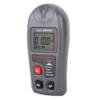
ElevateIQ Digital Luxmeter Meter, Handheld Digital Electronic Luxmeter Light Meter Illuminometer Photometer with LCD Display Range 0.1-200000 Lux/0.01-20000 Fc High Accuracy 4%
£58.92
£98.20
Save 40% (£39.28)
-
 Order within 12 hours and 6 minutes to get between May 21 - May 27
 -
 Tracked Shipping on All Orders
-
 14-Day Returns
- Secure Payments
-
 24/7 Customer Support
Description
- The measurement range is 0.1~200,000Lx, 0.01~20,000Fc, the measurement accuracy is 4%, and the measurement is more convenient.
- With a lock screen function (Hold) for maximum/minimum measurement.
- With large-screen LCD display, it can visually display the illuminance measurement value and measure accurately.
- Support auto range, can switch range manually, 15 minutes no operation will automatically shut down function.
- The luxmeter is made of high quality ABS material, it is durable, resistant and wear resistant.Welcome to inquire
The measurement range is 0.1~200,000Lx, 0.01~20,000Fc, the measurement accuracy is 4%, and the measurement is more convenient.
With a lock screen function (Hold) for maximum/minimum measurement.
Support auto range, can switch range manually, 15 minutes no operation will automatically shut down function.
With large-screen LCD display, it can visually display the illuminance measurement value and measure accurately.
The luxmeter is made of high quality ABS material, it is durable, resistant and wear resistant.
Specification:
Condition: 100% Brand New
Material: ABS
Measuring Range: 0.1~200,000 Lx, 0.01~20,000Fc
Resolution: 0.1Lx / 0.01Fc
Measurement Accuracy: 4%
Sampling Frequency: 2 Times / Sec
Unit: Lx, Fc
Working Environment: 14 To 122F (-10 To 50C), 10%~90%RH
Storage Environment: 14 To 131F (-10 To 55C), 10% To 95% RH
Battery: 1 x 9V Battery (Battery Not Included)
Weight: Approx. 130g / 4.6oz
Size: Approx. 145x67x32mm / 5.7x2.6x1.3in
Package List:
1 x Light Meter (Battery Not Included)
1 x Instruction Manual
Measurement steps:
1. Remove the according to the direction mark.
2. Press the key to boot.
3. Short press the MODE button to select the desired unit Lux/FC, long press the MODE button to select the desired mode, divided into: current measurement / maximum measurement / minimum measurement, short press HOLD button to lock the screen.
4. The meter automatically measures by default. If you need to manually switch the range, press and hold the HOLD button to cycle through the range.
5. Take the meter to the top of the optical sphere and face the light source to get the reading.
6. Press the key to shut down and cover the .
Note:Do not measure in high temperature/high humidity area. When using, the light detector should be kept . The light source test reference standard is located at the top of the receiving sphere. When
Shipping and Returns
- We offer tracked shipping on all orders. Tracking information will be shared as soon as the order is dispatched.
- Please check the delivery estimate before adding a product to the cart. This is displayed for every product on the website.
- Available shipping methods and charges will be displayed at the time of checkout, depending on your exact location.
- All customers are entitled to a return window of 14 days, starting from the date of delivery of the product(s).
- Customers are advised to read our return policy for details of the return process, eligibility, refunds as well as cancellations or exchanges.
- In case of any issues or concerns about Shipping or Returns, please contact us and we will be happy to help.
ElevateIQ.
ElevateIQ Digital Luxmeter Meter, Handheld Digital Electr...
£58.92
£98.20
Save 40.0% (£39.28)