

EBYTE
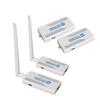
4K/1080P ScreenCast Wireless Adapter Screen Cast from Mobile Phone, Tablet, Laptop Support EWD612 Series HDMI Wireless Transmitter (1080 NV1 Receiver)
£82.61
£137.68
-
 Order within to get between
 -
 Tracked Shipping on All Orders
-
 14-Day Returns
- Secure Payments
-
 24/7 Customer Support
Description
- Usage Instructions: Connect the transmitter to a laptop/desktop computer via HDMI cable. Plug in the power supply to activate automatically. Connect the receiver to a monitor/television via HDMI cable. Plug in the power supply to activate automatically. When connected to a television, switch to the corresponding display source. By default, the unit will function normally upon power connection, enabling wireless HDMI video transmission. The transmitter is marked TX. (Note: This product supports either one transmitter to four receivers or four transmitters to one receiver configurations; mixed setups are not permitted.)
- Note: This product has already been successfully paired and requires no re-pairing; it is plug-and-play. Should it fail to function correctly, insufficient USB power from the device may be the cause. Please switch to powering via a mobile phone charger. If it still fails to operate normally, proceed with re-pairing. If the display shows no image, please verify that the monitor is selected to the correct HDMI channel. If the display shows prompts but no video output, test with a wired connection to verify image display and ensure the signal is being transmitted.
- One-to-one pairing method (one transmitter and one receiver): Press and hold the transmitter's SET button, then switch on the power. Release the button once the green light begins to flash. Repeat this procedure for the receiver. Connect the transmitter and receiver using an HDMI extension cable. Once the receiver's green light remains steady, pairing is complete. At this point, the transmitter's light will continue to flash. If the receiver's light remains flashing, indicating unsuccessful pairing, disconnect both devices and repeat the pairing process.
- After pairing is successful, disconnect both the transmitter and receiver from power. If the receiver continues to flash, pairing has failed. Disconnect both units from power and repeat the pairing process.
- Packing List -1 Main Unit 1 USB-A to USB-C Power Cable 1 HDMI Male-to-Male Extension Cable 1 5.8GHz Antenna 1 Product Manual
Shipping and Returns
- We offer tracked shipping on all orders. Tracking information will be shared as soon as the order is dispatched.
- Please check the delivery estimate before adding a product to the cart. This is displayed for every product on the website.
- Available shipping methods and charges will be displayed at the time of checkout, depending on your exact location.
- All customers are entitled to a return window of 14 days, starting from the date of delivery of the product(s).
- Customers are advised to read our return policy for details of the return process, eligibility, refunds as well as cancellations or exchanges.
- In case of any issues or concerns about Shipping or Returns, please contact us and we will be happy to help.
EBYTE.
4K/1080P ScreenCast Wireless Adapter Screen Cast from Mob...
£82.61
£137.68